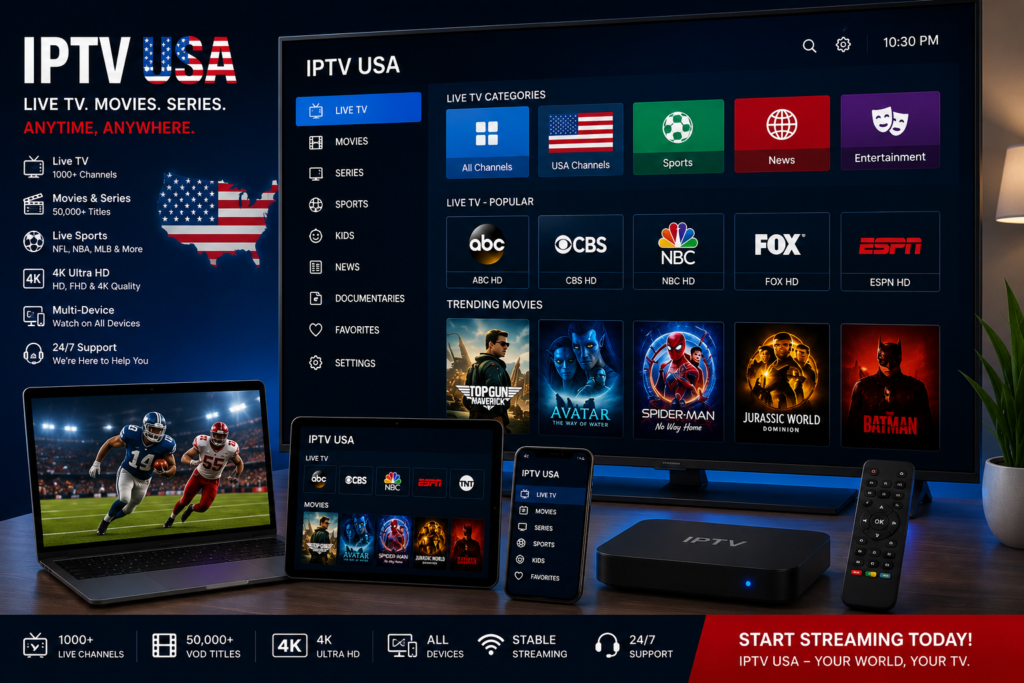
IPTV USA: Quick Summary
IPTV USA refers to television services that deliver American live channels, sports, movies, series, news, and Video-on-Demand content through an internet connection. Instead of using a traditional satellite dish or cable connection, viewers use a compatible streaming device and IPTV application to access available content.
A reliable service should provide stable streaming, clear subscription terms, compatible applications, responsive support, and properly licensed content.
Table of Contents
- What Is IPTV USA?
- How IPTV USA Works
- Why IPTV Is Popular in the United States
- Main IPTV USA Features
- American Channel Categories
- Compatible Devices
- Internet Speed Requirements
- Best IPTV Applications
- IPTV USA Setup Guide
- How to Choose a Provider
- Safety and Legal Considerations
- Helpful Resources
What Is IPTV USA?
IPTV USA is a general term used for internet-based television services designed for viewers who want access to American entertainment.
IPTV stands for Internet Protocol Television. It delivers television programming over IP networks rather than through traditional terrestrial, satellite, or cable broadcasting methods.
Depending on the provider and subscription, viewers may receive access to:
- Live American television
- National and regional news
- Sports programming
- Movies and television series
- Children’s entertainment
- Documentary channels
- Lifestyle programming
- Video-on-Demand libraries
The exact channel selection, picture quality, and viewing permissions depend on the individual service.
How IPTV USA Works
An IPTV USA provider sends television content through online servers. The viewer connects to those servers using an IPTV player installed on a television, streaming box, smartphone, tablet, or computer.
Most providers supply one of the following login methods:
- Xtream Codes credentials
- M3U playlist
- Portal URL
- Username and password
- Dedicated application login
After receiving the account details, the customer adds them to a compatible player.
The general process is:
- Select an IPTV subscription.
- Install a compatible application.
- Enter the supplied credentials.
- Allow the channel list and VOD library to load.
- Browse the available categories.
- Start watching.
The IPTV application normally acts as a media player. It does not automatically include channels unless the developer or provider clearly states otherwise.
Why IPTV Is Popular in the United States
American viewers increasingly expect television to work across different screens.
Traditional television normally keeps the viewer tied to a particular receiver or household connection. Internet television can offer greater flexibility by supporting televisions, streaming sticks, mobile devices, and computers.
Common reasons people explore IPTV include:
- Access to live TV and VOD in one interface
- Support for multiple device types
- Easy application-based installation
- High-definition streaming
- Electronic Program Guides
- Search and favorite-channel tools
- Catch-up features on supported services
- Flexible monthly or annual plans
The experience still depends heavily on the quality of the provider, home network, and playback hardware.
Main IPTV USA Features
Live American Television
A typical IPTV USA subscription may organize American channels into categories such as:
- Entertainment
- News
- Sports
- Movies
- Local programming
- Children’s channels
- Music
- Documentaries
- Lifestyle
- Spanish-language television
Before purchasing a plan, verify that the channels you actually want are included.
A very large advertised channel count is not always more useful than a smaller, well-organized and reliable lineup.
Video-on-Demand
Many IPTV services include a VOD section for movies and television series.
A useful library may offer:
- Recently added movies
- Popular television shows
- Family content
- Documentaries
- Animation
- Classic entertainment
Check how frequently the provider updates its library and whether the available content is properly licensed.
Electronic Program Guide
An Electronic Program Guide, commonly called an EPG, helps viewers understand what is currently playing.
It may display:
- Program titles
- Starting and ending times
- Channel schedules
- Upcoming shows
- Program descriptions
EPG quality varies between providers. Some guides are complete and accurate, while others may have missing information.
High-Definition and 4K Streaming
Services may advertise:
- Standard Definition
- HD
- Full HD
- 4K Ultra HD
The displayed resolution does not guarantee that every stream is native 4K. Picture quality depends on the original source, compression, server performance, internet speed, player, and display.
IPTV USA Channel Categories
American Sports
Sports fans often search for IPTV because they want access to live games and dedicated sports programming.
Coverage may include:
- American football
- Basketball
- Baseball
- Ice hockey
- Soccer
- Motorsports
- Combat sports
- College competitions
Sports rights vary by league, broadcaster, location, and season. Always confirm that the provider is authorized to distribute the programming.
News and Local Television
An IPTV USA service may include national news and selected regional stations.
Local channel availability can vary significantly by city and provider. Do not assume that every local affiliate is included simply because the service advertises American television.
Movies and Entertainment
Entertainment categories may contain:
- Movie channels
- Drama
- Comedy
- Reality television
- Lifestyle shows
- Documentaries
- Children’s programming
A well-designed IPTV application should make these sections easy to search and navigate.
Devices Compatible With IPTV USA
Most internet television services can work across a broad range of devices.
Common options include:
- Amazon Fire TV Stick
- Android TV
- Google TV
- Samsung Smart TV
- LG Smart TV
- Apple TV
- NVIDIA Shield TV
- Android smartphones
- iPhone and iPad
- Windows computers
- macOS devices
- Android TV boxes
Compatibility depends on the login method and application supported by the provider.
Before subscribing, confirm:
- Whether your device is supported
- Whether an external player is required
- Whether the plan allows multiple devices
- How many simultaneous streams are permitted
Internet Speed Requirements for IPTV USA
A stable internet connection is essential for uninterrupted playback.
The FCC’s broadband speed guide lists approximately:
- 3–4 Mbps for standard-definition video
- 5–8 Mbps for HD video
- About 25 Mbps for Ultra HD 4K video
For real-world IPTV use, additional speed provides more stability, especially when other devices share the connection.
Practical recommendations include:
- HD: 10 Mbps or more
- Full HD: 20 Mbps or more
- 4K: 25–50 Mbps or more
- Multiple streams: 100 Mbps or more
These figures are general recommendations, not guarantees.
Ethernet vs Wi-Fi
Ethernet is usually the most reliable connection for a television or streaming box.
It may provide:
- Lower latency
- Fewer interruptions
- Better peak-time stability
- More reliable 4K playback
Wi-Fi can still work well when the router is nearby and the network is not congested.
Best Applications for IPTV USA
Several media players support IPTV playlists and provider credentials.
Popular options include:
- IPTV Smarters Pro
- TiviMate
- XCIPTV Player
- GSE Smart IPTV
- IPTV Extreme
- Kodi
- VLC Media Player
Choose an application based on:
- Device compatibility
- EPG support
- Favorite-channel tools
- Parental controls
- Playlist management
- External-player support
- Interface quality
Download applications only from trusted stores or official developer sources.
IPTV USA Setup Guide
Step 1: Confirm Your Device
Make sure your television, box, smartphone, or computer supports the provider’s recommended application.
Step 2: Install the IPTV Player
Download the application from an official app store whenever possible.
Step 3: Choose the Login Method
Select Xtream Codes, M3U playlist, or another option supported by your provider.
Step 4: Enter the Credentials
Add the server address, username, and password exactly as supplied.
Step 5: Load the Content
Wait for the live channels, movies, series, and EPG information to appear.
Step 6: Test Several Streams
Test:
- A live channel
- A movie
- A sports stream
- An HD or 4K option
- The EPG
For detailed device instructions, follow the Bien IPTV setup guide.
How to Choose an IPTV USA Provider
Do not select a service based only on the lowest price or highest advertised channel count.
Compare these factors:
Clear Subscription Terms
The provider should explain:
- Subscription length
- Number of connections
- Renewal terms
- Refund conditions
- Device limits
- Customer-support options
Stable Infrastructure
Look for consistent playback, fast channel loading, and reasonable uptime claims.
No provider can realistically guarantee perfect service at every moment.
Responsive Support
Reliable support should help with:
- Login problems
- Device setup
- Application configuration
- Playlist issues
- Connection troubleshooting
Trial or Short-Term Plan
A short trial or monthly option can help you test:
- Stream stability
- Channel availability
- Picture quality
- EPG accuracy
- Device compatibility
Avoid giving sensitive payment information to an unknown seller.
IPTV USA Safety and Legal Considerations
IPTV technology itself is legal. The important issue is whether the provider has permission to distribute the channels, films, sports, and other programming it sells.
The U.S. Copyright Office explains that copyright owners control protected works and that permission may be required to use or distribute someone else’s content.
Before subscribing, look for:
- Transparent company information
- Clear licensing or distribution rights
- Recognized payment options
- Published privacy and refund policies
- Real customer-support contact details
The FTC has also warned that illegal streaming applications and add-ons may expose users to malware.
Avoid services that:
- Require suspicious software
- Promise every premium channel at an unrealistic price
- Accept only anonymous payment
- Hide their contact information
- Provide no cancellation policy
- Ask you to disable device security
Helpful IPTV USA Resources
- Visit Bien IPTV
- Browse the IPTV Channels List
- Follow the IPTV Setup Guide
- Contact Bien IPTV Support
- FCC Broadband Speed Guide
- FTC Streaming-App Safety Advice
IPTV USA Benefits
One of the main reasons IPTV USA continues to grow in popularity is the flexibility it offers compared to traditional television services. Instead of relying on cable boxes or satellite dishes, users can stream content on multiple internet-connected devices from almost anywhere.
Some of the biggest advantages include:
- Access to live American TV channels
- Large Video-on-Demand libraries
- HD, Full HD, and 4K streaming
- Multi-device compatibility
- Electronic Program Guide (EPG)
- Flexible subscription options
- Watch at home or while traveling
- Easy installation
- Modern IPTV applications
- Personalized viewing experience
IPTV USA Performance Tips
A smooth streaming experience depends on several factors beyond simply choosing an IPTV provider.
Use a Reliable Internet Connection
Internet quality plays a major role in IPTV performance.
Recommended speeds include:
- HD Streaming: 10 Mbps
- Full HD Streaming: 20 Mbps
- 4K Streaming: 25–50 Mbps
- Multiple 4K Streams: 100 Mbps+
If several devices share the same network, higher bandwidth is recommended.
Prefer Ethernet Over Wi-Fi
Although modern Wi-Fi performs well, Ethernet usually provides:
- Lower latency
- More stable connections
- Less buffering
- Better 4K playback
- Faster channel loading
Whenever possible, connect your streaming device directly to your router.
Keep Your IPTV Applications Updated
Updating your IPTV player provides several benefits:
- Better compatibility
- Improved stability
- Security updates
- Faster performance
- Bug fixes
Popular IPTV players release updates regularly to improve the user experience.
IPTV USA Troubleshooting Guide
Even high-quality IPTV services may occasionally experience playback issues.
Buffering
Possible causes include:
- Slow internet connection
- Network congestion
- Weak Wi-Fi signal
- Temporary server load
Solutions:
- Restart your router.
- Use Ethernet instead of Wi-Fi.
- Close background downloads.
- Restart the IPTV application.
Channels Not Loading
If channels fail to load:
- Verify your subscription is active.
- Confirm login credentials.
- Refresh the playlist.
- Restart the IPTV application.
- Contact customer support if necessary.
Poor Picture Quality
Picture quality depends on:
- Internet speed
- Device capability
- Display resolution
- Source quality
Not every channel is broadcast in native 4K resolution.
IPTV USA vs Traditional Cable
| Feature | IPTV USA | Traditional Cable |
|---|---|---|
| Live TV | ✔ | ✔ |
| Video-On-Demand | ✔ | Limited |
| Multi-Device Support | ✔ | Usually No |
| Watch Anywhere | ✔ | Limited |
| HD Streaming | ✔ | ✔ |
| 4K Streaming | ✔ (where available) | Depends on provider |
| Internet Required | ✔ | No |
| Flexible Plans | ✔ | Limited |
For many viewers, IPTV offers more flexibility and convenience than traditional cable television.
Frequently Asked Questions
What is IPTV USA?
IPTV USA refers to internet-based television services that provide access to American live TV channels, sports, movies, series, and Video-on-Demand through compatible IPTV applications.
Which devices support IPTV USA?
Most IPTV services support:
- Android TV
- Google TV
- Samsung Smart TV
- LG Smart TV
- Amazon Fire TV Stick
- Apple TV
- Android smartphones
- iPhone
- Windows PC
- macOS
- Android TV Boxes
Is IPTV USA legal?
The IPTV technology itself is legal. However, whether a specific service is lawful depends on whether it has the rights to distribute the content it offers. Before subscribing, verify that the provider operates legally and transparently.
What internet speed do I need?
Recommended speeds:
- HD: 10 Mbps
- Full HD: 20 Mbps
- 4K: 25–50 Mbps
A faster connection is recommended if multiple users stream simultaneously.
Which IPTV player is best?
Popular IPTV players include:
- IPTV Smarters Pro
- TiviMate
- XCIPTV
- IPTV Extreme
- Kodi
- VLC Media Player
The best choice depends on your device and preferred features.
Can I watch IPTV USA while traveling?
In many cases, yes. If your provider supports it and you have a stable internet connection, you can stream on compatible devices while traveling. Availability may vary based on licensing and regional restrictions.
Final Thoughts
IPTV USA continues to change how people watch television by offering flexible internet-based streaming across a wide range of devices. Whether you’re interested in live sports, movies, news, or Video-on-Demand, choosing a reliable provider, using compatible hardware, and maintaining a stable internet connection are key to enjoying a smooth viewing experience.
Before subscribing, compare channel availability, supported devices, customer support, pricing, and service policies. Taking the time to evaluate these factors will help you choose a solution that fits your entertainment needs.
Helpful Resources
Explore more with Bien IPTV:
- Official Website
https://bieniptv.com/ - Setup Guide
https://bieniptv.com/setup/ - Complete Channels List
https://bieniptv.com/channels-list/ - Contact Us
https://bieniptv.com/contact-us/
External Resources
Learn more about IPTV and internet streaming:
- https://en.wikipedia.org/wiki/Internet_Protocol_television
- https://www.cloudflare.com/learning/video/what-is-video-streaming/
- https://www.fcc.gov/consumers/guides/broadband-speed-guide
Start Streaming with Confidence
Looking for a trusted IPTV experience? Bien IPTV offers resources to help you get started, including setup guides, channel information, and customer support.
Visit https://bieniptv.com/ to explore available services, browse the complete channel list, and follow the step-by-step setup guide to begin your IPTV journey.